

Sling TV sometimes offers a free trial, but availability, length and eligibility vary by promotion and platform. This guide explains what a Sling TV free trial typically includes, how to sign up and cancel before billing, key limitations to watch for, and practical tips to test channels, devices and recordings during the trial so you can decide whether a paid plan is worth it.
Quick answer: does Sling TV offer a free trial?
Short answer: yes — sometimes. Sling TV has historically offered free trials (commonly 3-day or 7-day trials) and occasional extended promotions for new subscribers, but trial availability changes. Promotions can vary by device (web, iOS, Android, Roku, Amazon Fire), by country, and over time. If you want to try Sling without committing, check the Sling TV website or official app for the current offer and follow the sign-up steps below.
How Sling TV free trials work
A Sling TV free trial lets you use most of the service for a limited period without paying. During the trial you can stream live channels and on-demand content included with the plan you choose. Trials are intended for first-time subscribers or new accounts and are typically tied to an email address or payment method.
Key elements that define a Sling TV free trial:
- Trial length: often 3 to 7 days for standard promotions, but can be shorter or longer for special offers.
- Eligibility: usually limited to new users or accounts that have not previously received the same trial offer.
- Payment info: Sling commonly requires a credit/debit card or other valid payment method to start the trial; you won’t be billed until the trial ends but must cancel before the trial expiry to avoid charges.
- Auto-renew: after the trial ends the subscription will auto-renew at the regular monthly price unless canceled.
- Add-ons and DVR: some add-ons (Cloud DVR, extra channels) may be included on trial depending on the offer; others require separate payment or temporary trial add-ons.
What’s included in a Sling TV free trial
The content you can access during a Sling TV free trial depends on the base plan you select (Sling Orange, Sling Blue, or a combined Orange+Blue) and any trial add-ons offered. Generally the trial includes:
- Access to live channels included with the chosen base plan (sports, news, entertainment depending on the plan).
- On-demand shows and movies available through Sling’s included networks and apps.
- Basic features such as live pause and channel guide.
Possible limitations during a trial:
- Cloud DVR minutes may be limited or unavailable unless the trial specifically includes DVR access or a DVR trial.
- Some premium channels and network apps require separate credentials or subscriptions and may not be covered by the trial.
- Simultaneous streams are restricted by plan: Sling Orange typically allows 1 stream, Sling Blue up to 3, and Orange+Blue follow the higher limits of Blue for different channels.
How to sign up for a Sling TV free trial (step-by-step)
Follow these steps to check for and activate a Sling TV free trial. The exact buttons and labels can change, but the flow is consistent across platforms.
First, verify trial availability on the Sling website or official app. If a trial is active, you’ll see a “Free trial” or similar callout on the plan selection page. If no trial appears, consider promo landing pages, partner offers (ISPs, device bundles), or coupon/promo codes.
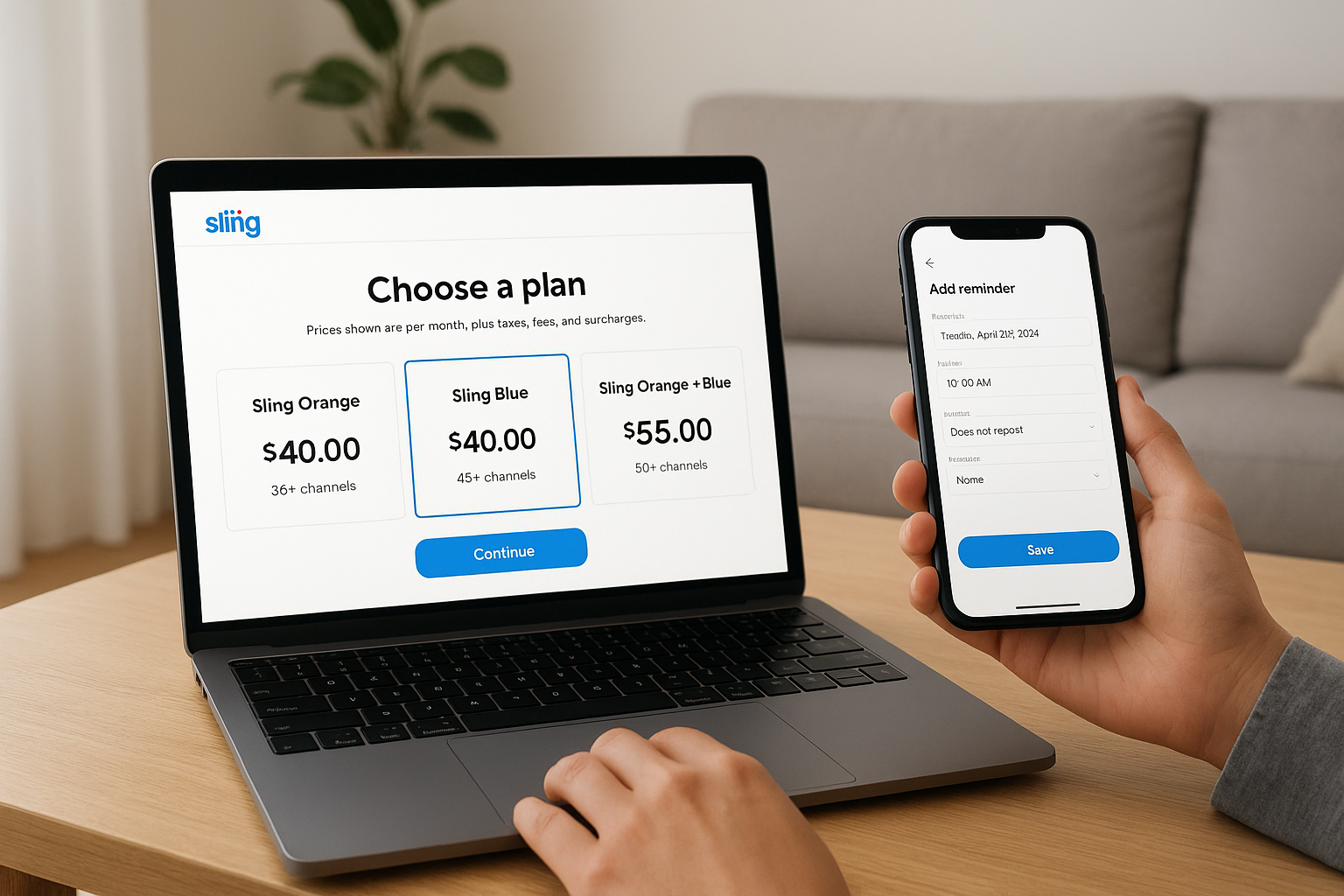
- Create or sign in to your Sling account: Go to watch.sling.com or open the Sling app and sign in or create an account using an email address and password.
- Choose a plan: Select Sling Orange, Sling Blue, or Orange+Blue depending on the channels you want. If a trial applies, the plan page will show the trial length and the date your billing begins.
- Add any trial add-ons (if offered): Some promotions let you trial certain add-ons. Only add them if you want to test them during the trial period.
- Enter payment information: Provide a valid credit/debit card, PayPal, or another accepted method. Your method will be authorized but not charged until the trial ends.
- Confirm and start trial: Review the trial end date and auto-renew terms, then confirm. You should receive an email with trial details and the date when your subscription will convert to a paid plan if not canceled.
- Test devices and streams: Install the Sling app on your TV, streaming device, phone and web browser and log in to evaluate performance and channel availability.
What to look for right after activating a trial
Immediately after starting the trial, check these items so you have time to troubleshoot before the trial expires:
- Confirm email receipt with trial end date and billing amount.
- Open Sling on the primary viewing device to verify video quality and channel lineup.
- Try streaming a live event and an on-demand title to test buffering and picture quality.
- If you plan to use Cloud DVR, check whether DVR is active and try recording a show.
Device compatibility and streaming limits
Sling TV supports a wide range of devices, but trial availability or functionality can differ slightly between platforms. Supported devices generally include:
- Web browsers (Chrome, Edge, Safari on macOS)
- iOS and Android phones and tablets
- Streaming devices: Roku, Amazon Fire TV, Apple TV, Android TV, Google Chromecast
- Smart TVs from Samsung and LG (model-dependent)
- Game consoles and other connected devices via companion apps or casting
Streaming limits during the trial follow the same rules as paid plans: Sling Orange typically limits to 1 simultaneous stream, Sling Blue up to 3, and Orange+Blue uses a combination. Test simultaneous streaming across devices during the trial if you share the account with family members.
Common catch: billing, auto-renew, and regional restrictions
Many users sign up for a trial and are surprised by billing or restrictions. These are the most common issues to watch for:
- Auto-renew charges: Sling will typically auto-renew at the regular monthly rate after the trial. Mark your calendar or set a reminder to cancel if you don’t want to continue.
- Payment holds or authorizations: Sling may place a small authorization hold on your card when signing up. This is usually temporary and not a charge.
- Device-specific offers: Some trials are only available when you sign up via a specific device (for example, a smart TV or mobile app). If you don’t see a trial on the web, try the official app on your streaming device.
- Geographic availability: Sling primarily serves the U.S. market; trials and full service may not be available in other countries.
- One trial per account: Most promotions are limited to one trial per email or payment method; creating multiple accounts to extend trials violates terms and can be blocked.
Comparing Sling TV trial offers to competitors
Before you pick a streaming service, it helps to compare free trials and what they include. Below is a concise comparison of typical trial situations for Sling TV and common competitors.
| Service | Typical trial length | Notes |
|---|---|---|
| Sling TV | 3–7 days (varies) | Plan-dependent; device or promo-based offers common |
| YouTube TV | 7 days (often) | Full feature access; occasionally offers extended promos |
| Hulu + Live TV | 7 days (common) | Includes Hulu on-demand library plus live channels |
| Philo | 7 days (often) | Budget live TV focused on entertainment channels |
Use the trial period to test which service fits your channel preferences, local news/sports coverage and streaming reliability. Sling is often the most affordable, but its channel lineup is different between Orange and Blue plans, so a trial helps confirm which plan matches your viewing habits.
How to cancel Sling TV before the trial ends (step-by-step)
Cancelling before the trial ends ensures you won’t be billed. Cancellation steps differ by platform and where you signed up.
Cancel on the web (watch.sling.com)
- Sign in at watch.sling.com with the account used for the trial.
- Go to Account & Settings > Manage Account > Subscription.
- Click Cancel or End Membership and follow prompts to confirm cancellation before the trial expiry date.
Cancel through a third-party platform
If you subscribed using iTunes, Google Play, Amazon or another partner, you must cancel through that provider’s subscription settings. For example:
- Apple/iOS: Open Settings > Your Name > Subscriptions > Sling > Cancel.
- Google Play: Open Play Store > Menu > Subscriptions > Sling > Cancel.
- Amazon: Manage Your Subscriptions in your Amazon account and cancel the Sling channel subscription.
Tips to make the most of a Sling TV free trial
Use these practical tips to evaluate Sling thoroughly during the limited trial window so you can make a confident decision before billing begins.
- Test peak and off-peak streaming: Watch live TV during prime time and during the day to compare buffering and picture quality.
- Try simultaneous streams: If you share the account, stream on multiple devices to ensure the limits meet your household needs.
- Record with Cloud DVR (if available): If DVR is included in the trial, record a few shows to test recording reliability and playback controls.
- Check local channels and sports: If local channels, regional sports networks or specific national sports are essential, confirm they appear in your guide.
- Inspect device apps: Install Sling on all devices you plan to use and verify the app layout, search function, and parental controls.
- Note the trial end date: Set a calendar reminder 24–48 hours before the trial ends to cancel if you don’t want to continue.
- Compare channel-for-channel: Use a note or spreadsheet to list must-have channels and check whether they’re included in Orange, Blue, or require an add-on.
Common mistakes and how to avoid them
Many users make a few predictable mistakes when trialing Sling. Avoid these to get objective results and prevent surprise charges.
- Assuming all add-ons are included: Check whether add-ons (sports, premium networks, extra DVR) are part of the trial or will be billed immediately.
- Not testing the primary viewing device: If you mainly watch on a smart TV or Roku, complete setup and testing there—mobile or web tests don’t always reveal TV app issues.
- Waiting to test quality: Don’t leave testing until the last day; early testing gives time for customer support if something breaks.
- Forgetting to cancel correctly: Cancel in the same place you subscribed (web vs app store) to ensure the provider registers the cancellation.
Conclusion: should you try Sling TV’s free trial?
A Sling TV free trial is a low-risk way to evaluate whether Sling’s affordable, a la carte approach fits your channel needs and streaming habits. Because Sling splits channels between Orange and Blue, a trial is especially useful to confirm that the plan you pick covers your favorite channels and that device performance and DVR features meet your expectations.
Start the trial only if you can test the main devices and channels within the trial window, and set a reminder to cancel if you don’t want to continue. If you need help comparing Sling to other services after your trial, use the channel checklist and trial test notes you collected to make a clear choice.
Ready to try? Visit Sling TV on a device you use daily, confirm the current free trial offer, and follow the step-by-step sign-up instructions above.
