

If you’re wondering whether you can try FuboTV before paying, the short answer is: sometimes. This guide explains current FuboTV free trial availability, step-by-step signup and cancellation instructions, what’s included in trials, device compatibility, and smart tips to avoid being charged. By the end you’ll know how to start a trial if one’s offered, what to expect during the trial, and how to cancel or convert to a paid plan with confidence.
What is the FuboTV free trial and why it matters
A FuboTV free trial is a limited-time promotional period during which new users can access FuboTV’s live TV service — including select channels, cloud DVR, and apps — at no cost. Trials let you test streaming quality, channel lineups, and features before committing. That matters because live TV services vary in channel availability, app performance on different devices, and whether they meet your sports or local channel needs.
Important: FuboTV’s trial offers change frequently. At times FuboTV runs a 7-day trial, at other times it may offer shorter or targeted promotions, or no public free trial at all. This guide covers the typical structure of those trials and gives practical steps to sign up, check eligibility, and cancel to avoid charges.
Current availability and eligibility
FuboTV often targets new customers with trials, but availability depends on region, past subscription status, and promotions. Key eligibility rules to check:
- New customers typically qualify; previous subscribers may not.
- Trials are usually limited to U.S. accounts, although Fubo also operates in Canada and other markets with different offers.
- Promotional links (partner websites, affiliates, or device-specific offers) may provide trial access when the main site doesn’t.
- Some trials require entering payment details; others may not. Always read the terms before proceeding.
How to verify current trial offers: visit FuboTV’s official promotions page, search for time-limited promo codes, and check affiliate partners such as device manufacturers or sports organizations. If a free trial isn’t available, Fubo sometimes offers a discounted first month instead.
What the trial typically includes — plans, channels, and limits
During a typical free trial you can expect to test most features of the plan you sign up for. That includes:
- Live TV channels in the chosen package (e.g., sports-heavy channels on higher-tier plans)
- Cloud DVR storage with the same limits the paid plan offers
- Stream quality and simultaneous streams allowed by the plan
- On-demand library and network apps included in FuboTV
But there are exceptions: some premium add-ons (like certain sports or regional packages) may not be included during the trial, and local channel availability still depends on your ZIP code. If you rely on a particular channel (for example a regional sports network), verify it appears in the channel list for your ZIP code before signing up.
Step-by-step: How to sign up for a FuboTV free trial
Follow these steps to sign up safely and maximize your trial experience. Read the terms carefully at each step to avoid unexpected charges.
- Check for a public promotion: Visit fubo.tv and look for a banner advertising a free trial or introductory offer. If nothing appears, search for affiliate or partner promotions (device bundles, sports partners).
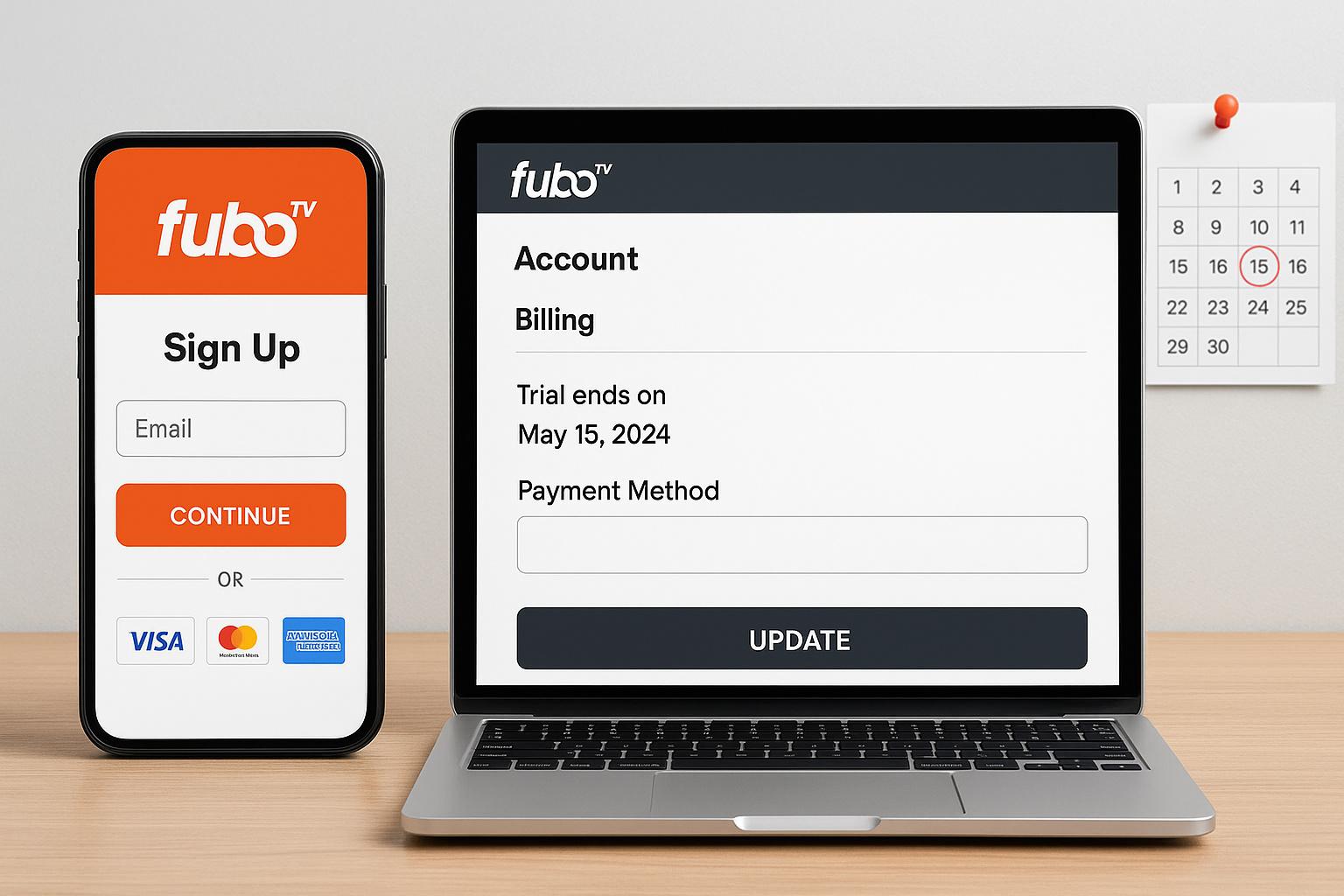
- Create an account: Provide your email and create a password. Use an email you monitor because Fubo sends billing and trial-end reminders there.
- Enter ZIP code: Fubo will use it to show available local channels and blackout rules.
- Choose a plan: Pick the base plan or a promotional plan. Trials typically apply to the plan you select.
- Add payment details if required: Many trials require a credit card or PayPal to begin. This is standard; you will be charged automatically if you don’t cancel before the trial ends.
- Confirm the trial length and billing date: Note the exact day the trial ends and when the billing cycle begins.
- Install apps and test: Add the FuboTV app to your TV, phone, or streaming device and test live channels, DVR, and simultaneous streams right away.
Tip: If the trial requires payment details, set a calendar reminder 24-48 hours before the trial end to evaluate whether to keep the service or cancel. If you prefer not to enter payment details, check for device-specific promotions that sometimes skip payment info.
Devices, streaming limits, and technical requirements
FuboTV supports a wide range of devices and platforms. Knowing compatibility helps you decide where to test the trial.
- Smart TVs: Samsung, LG (webOS), and some Android TV models have native Fubo apps.
- Streaming players: Roku, Apple TV, Amazon Fire TV, Chromecast (with casting), and Android TV devices.
- Mobile and web: iOS and Android apps, and streaming from desktop browsers (Chrome, Safari, Edge).
- Simultaneous streams: The base plan typically allows two simultaneous streams; higher tiers increase that number. Verify the allowed number in your plan details.
Technical tips: For reliable HD streaming, aim for at least 10 Mbps per stream for HD and 25 Mbps for 4K content. If you experience buffering or poor quality, test on a wired connection or reboot your router and device before reaching for customer support.
How to cancel a FuboTV free trial without being charged
Cancelling properly is the most important step to avoid unwanted charges. Follow these steps based on how you signed up.
Canceling from the FuboTV website
- Sign in at fubo.tv.
- Click your profile icon (top-right) and select “Account” or “Settings.”
- Find the “Subscription” section and click “Cancel” or “Unsubscribe.”
- Follow the prompts to confirm cancellation; record the cancellation confirmation or screenshot it.
Canceling via an app store or third party
If you subscribed through Apple, Google Play, Roku, or a cable provider, you must cancel through that provider’s subscriptions management. Cancelling on fubo.tv won’t stop charges from a third-party billed subscription.
- Apple: Open Settings > your name > Subscriptions, and cancel FuboTV.
- Google Play: Open Play Store > Menu > Subscriptions, and cancel FuboTV.
- Roku: Go to your Roku account online or manage subscriptions on the Roku device.
After canceling, confirm the cancellation email and check the next billing date to ensure no charges will be made. If you were billed despite timely cancellation, contact FuboTV support with your confirmation details.
What to watch for: common trial pitfalls and how to avoid them
Free trials are useful, but users often run into the same issues. Here’s how to avoid them:
- Automatic billing: Most trials auto-convert to paid plans. Set calendar reminders and cancel early if you don’t want to keep the service.
- Partial features for trials: Some add-ons (sports packages, premium networks) may require extra fees even during a trial. Verify inclusions before adding them.
- Third-party billing: If you used Apple, Google, Roku, or a promotional partner, cancel through them — not the Fubo website.
- Geographic or blackout restrictions: Local games or channels can be blacked out by region. Check your ZIP-code-based lineup before relying on the trial for specific live events.
- Multiple trials per person: Past subscriptions or promotional use might disqualify you. Creating new accounts to get multiple trials can violate terms of service.
Comparing FuboTV’s trial to competitors
Different live TV services handle trials and promotions differently. The table below compares typical trial availability and the most relevant features for someone choosing a trial.
| Service | Typical Trial | Channels/Sports Strength | Notes |
|---|---|---|---|
| FuboTV | Occasional 7-day or partner promos | Strong for sports, regional packages | Trials vary; check ZIP code and promotions |
| YouTube TV | Rare; sometimes limited promos | Strong local channels, balanced lineup | Usually no standard free trial |
| Hulu + Live TV | Occasional 7-day trial | Good mix of entertainment and sports | Often bundles with Disney+ and ESPN+ |
| Sling TV | Rare free trial; often discounts | Good budget options, flexible bundles | Limited trials; frequent promo codes |
Use the table as a snapshot. Promotions change frequently — if a free trial is the deciding factor, check each service’s official promotions page before signing up.
Practical examples: three trial scenarios and what to test
These short scenarios show what to test during a trial based on common reasons people try FuboTV.
- Sports fan evaluating regional networks: Check live regional sports channels and watch a live game on multiple devices to confirm blackout rules and streaming reliability.
- Family wanting robust DVR and multiple screens: Test simultaneous streams, record multiple shows at once, and verify how long recordings are kept.
- Traveler checking mobile streaming: Test streams over mobile data and Wi‑Fi, and try casting from phone to TV to ensure apps behave consistently.
FAQs about the FuboTV free trial
Does FuboTV still offer a free trial?
FuboTV’s public trial availability fluctuates. Sometimes Fubo offers a standard trial; other times trials are limited to promotional partners. Check Fubo’s website and partner promos for the current offer.
Will I be charged if I forget to cancel?
Yes, if your trial required payment details and you don’t cancel before the trial ends, FuboTV will charge the payment method on file for the first billing cycle.
Can I get a refund if I’m charged inadvertently?
Contact FuboTV support immediately with proof of cancellation or timing. Refunds are granted at FuboTV’s discretion, but many users receive refunds when they show timely cancellation evidence.
Can I pause my subscription instead of canceling?
FuboTV historically allows account hold or pause options in some cases; check your account settings or contact support. Pause options preserve your account but may reduce or suspend access for a time.
Conclusion: Should you try a FuboTV free trial?
If a FuboTV free trial is available to you, it’s a low-risk way to confirm whether the channel lineup, sports coverage, and app performance meet your needs. Before starting, verify trial length, required payment details, and exactly what’s included. Set a cancellation reminder if you don’t plan to continue, test the channels and DVR features you care about during the trial, and remember to cancel through the correct billing partner if you signed up via Apple, Google, Roku, or another third party.
Final recommendation: use the trial to perform targeted tests (one or two live events, DVR recordings, and multi-device streaming). That focused approach will help you decide within days whether FuboTV is worth the subscription for your household.
